There are several ways to save the pictures from the smartphone to the PC.
For Android models:
For Apple models:
- Radio transmission via app
- Dubbing via cable (no Favorites, Captions and Albums)
- Sync via iCloud (No LivePhotos, No Favorites, Captions, and Albums)
Short hints on this can also be found in PictureGuide under Settings - Import.
Notes for the recommended PhotoSync app
The PhotoSync app is ideal for syncing between Apple smartphones and Windows devices.
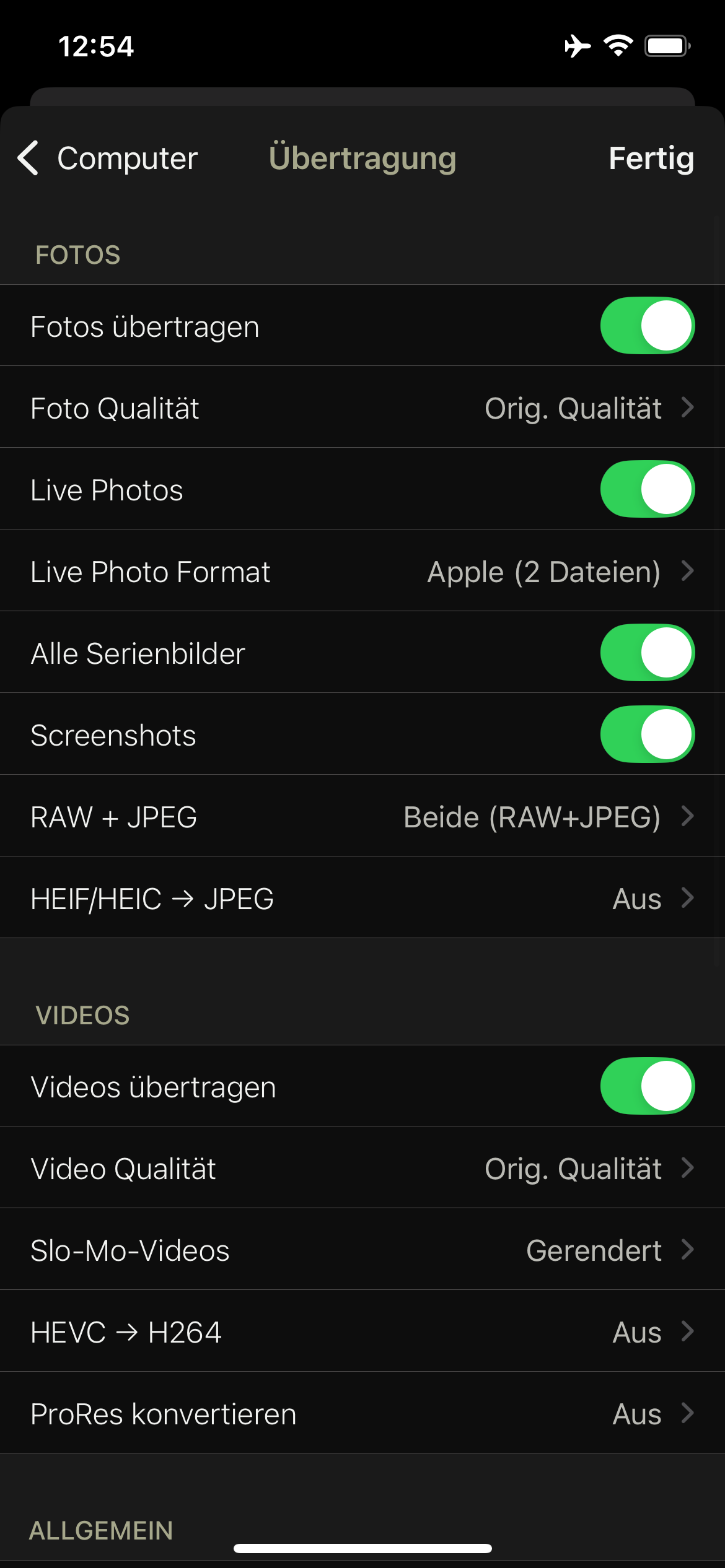
This allows you to transfer the mark as favorite, subtitle and album to the computer, as opposed to transferring via iCloud or cable.
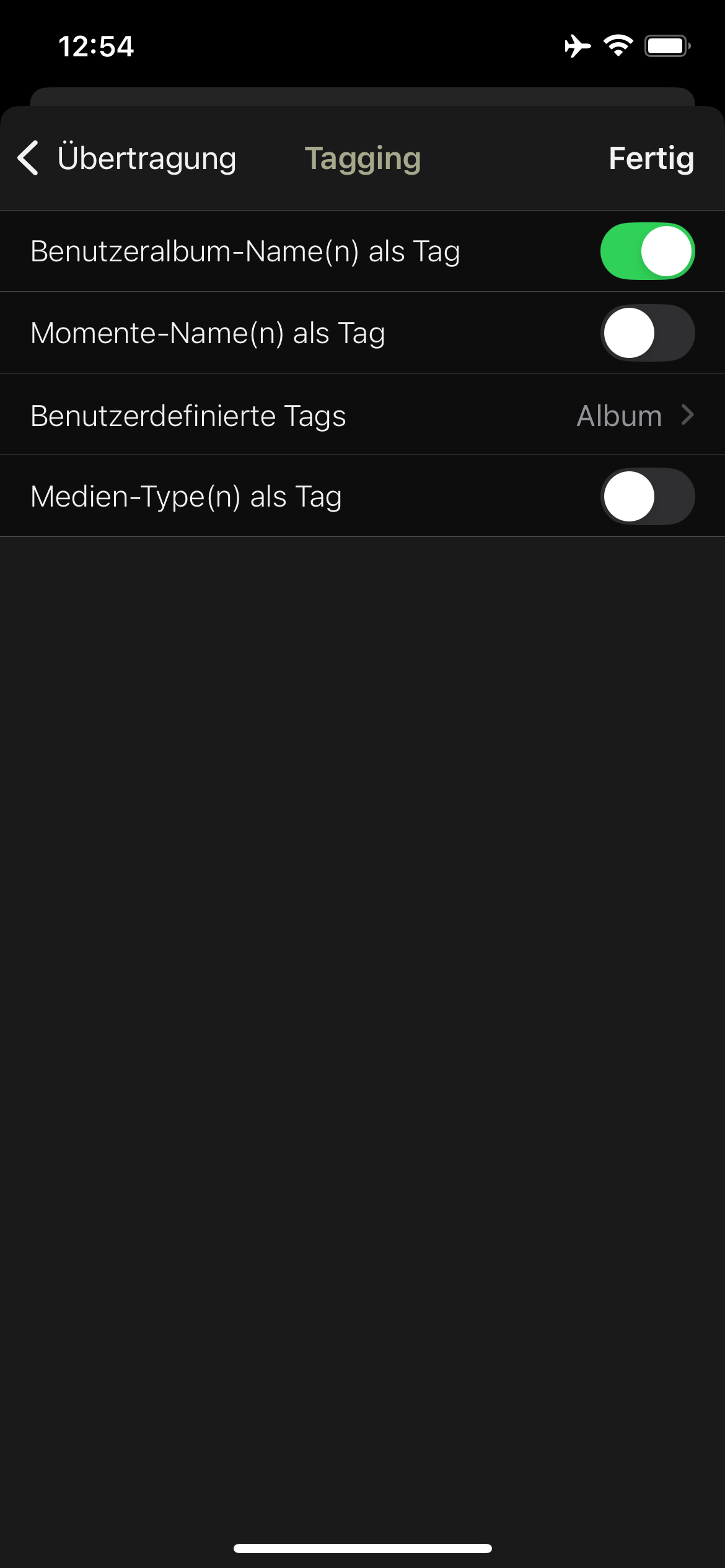
The following settings are recommended for this from PictureGuide onwards: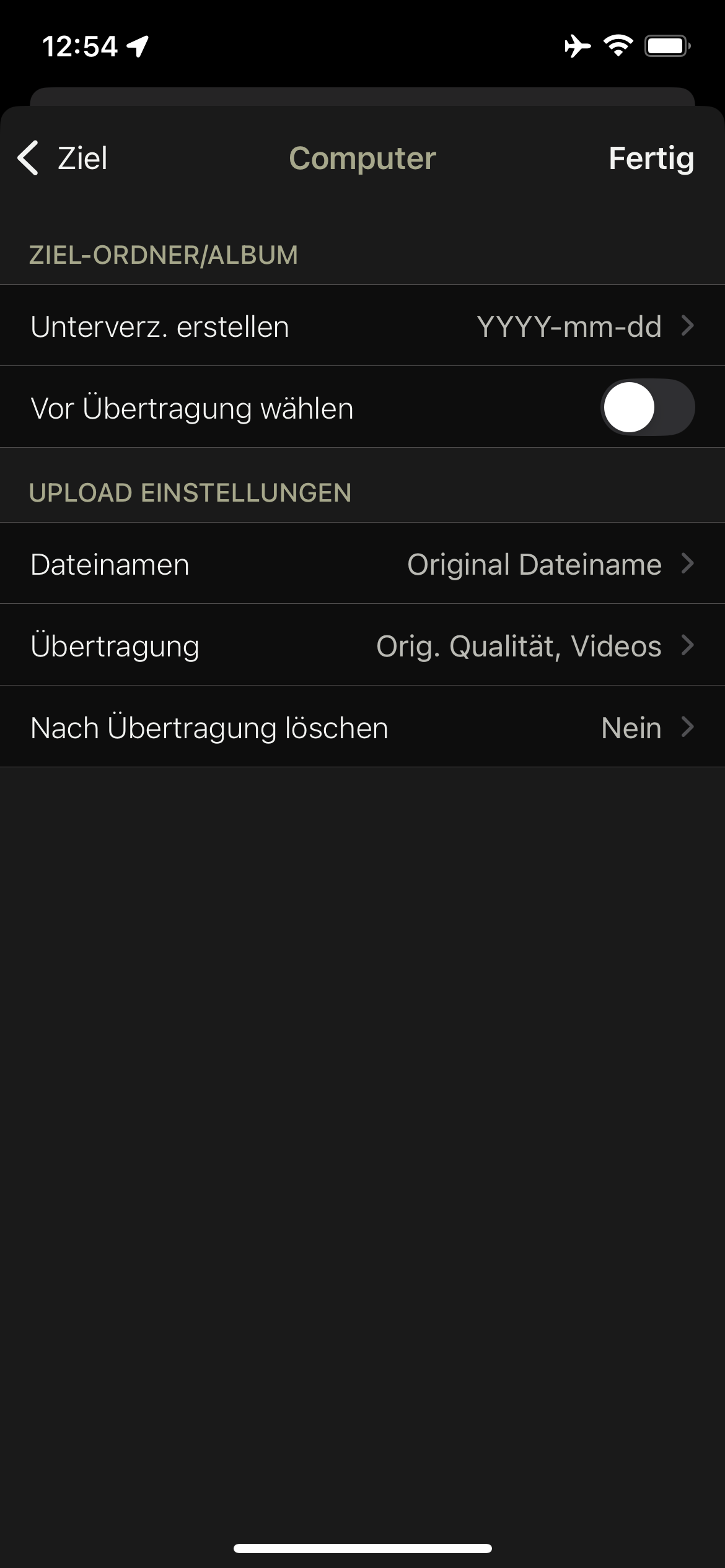
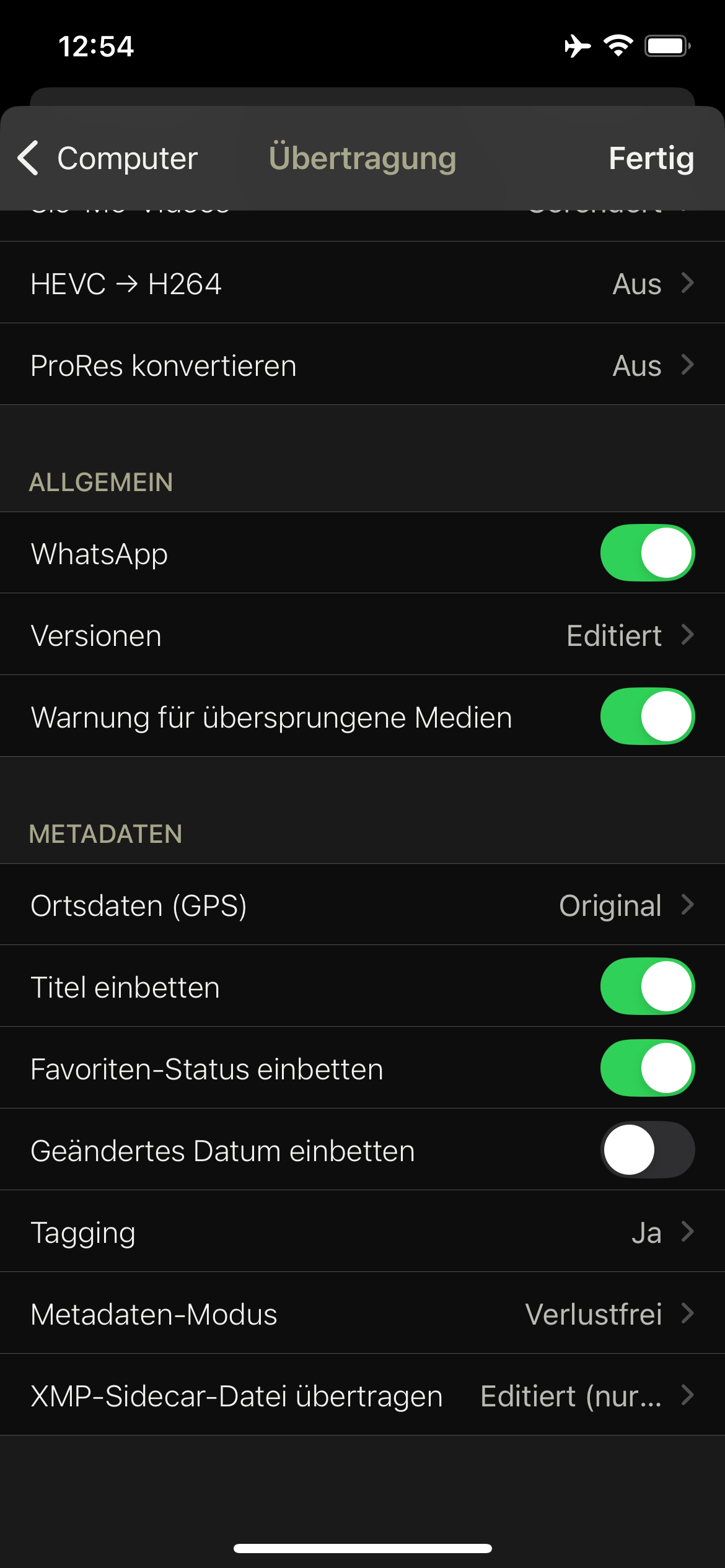
For the transfer of the album assignments, make a setting in the tagging. Manually add the Album custom tag. Thus, the album assignments in PictureGuide are identical to the smartphone.