The file name can be changed at any time in the right sidebar under File.
Changing the file name affects all read copies of the file.
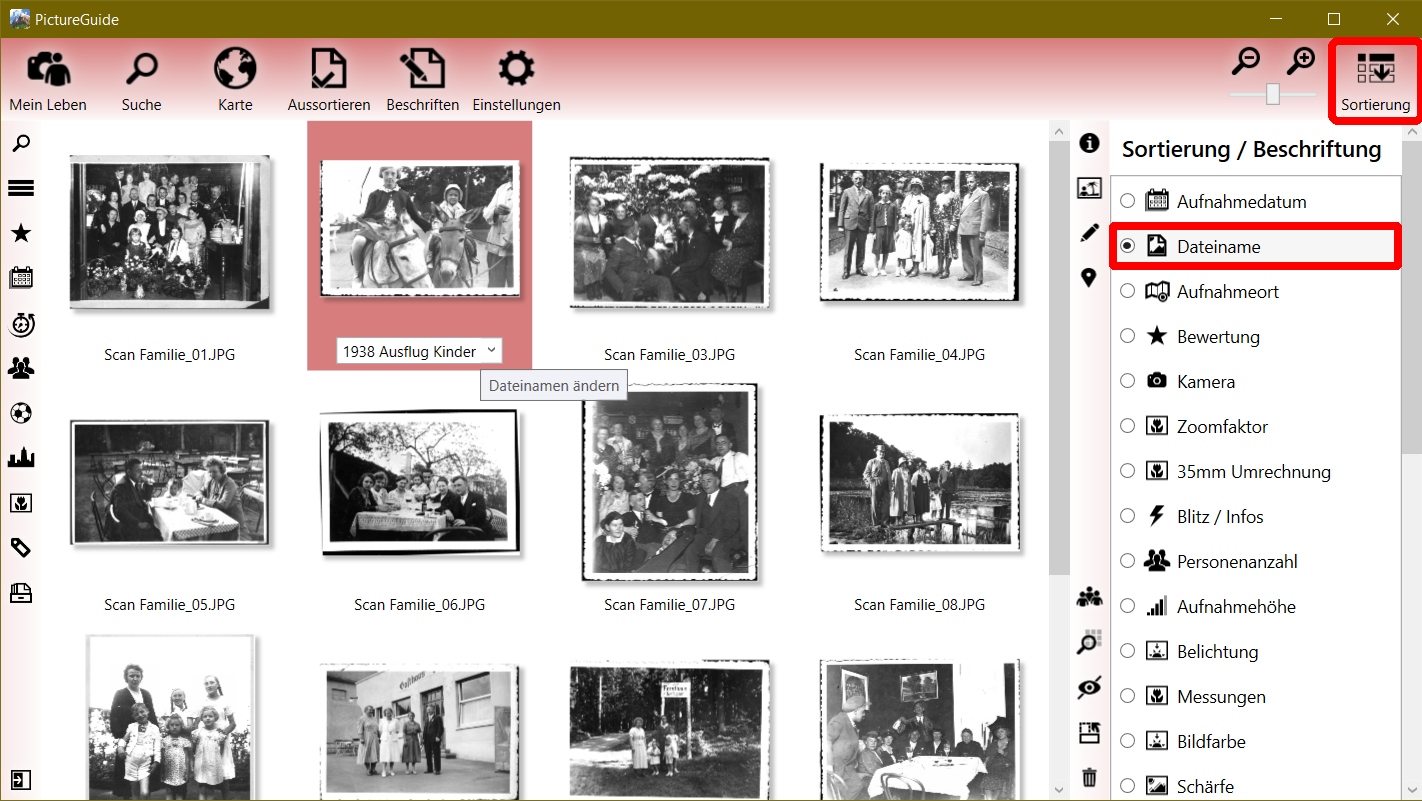
To rename directly in the view, switch the sorting > label to Filename.
Then click on the file name you want to rename or press the F2 key.
If desired, placeholder templates or already used file names can be selected from the drop-down list.
Rename multiple files at the same time
Select all desired files beforehand and start renaming one file.
PictureGuide then shows live how the other files are named accordingly and automatically increments the file name at the end with "_01" and so on.
Batch Processing with Placeholder
Common placeholders are already stored in the drop-down list and can also be adjusted.
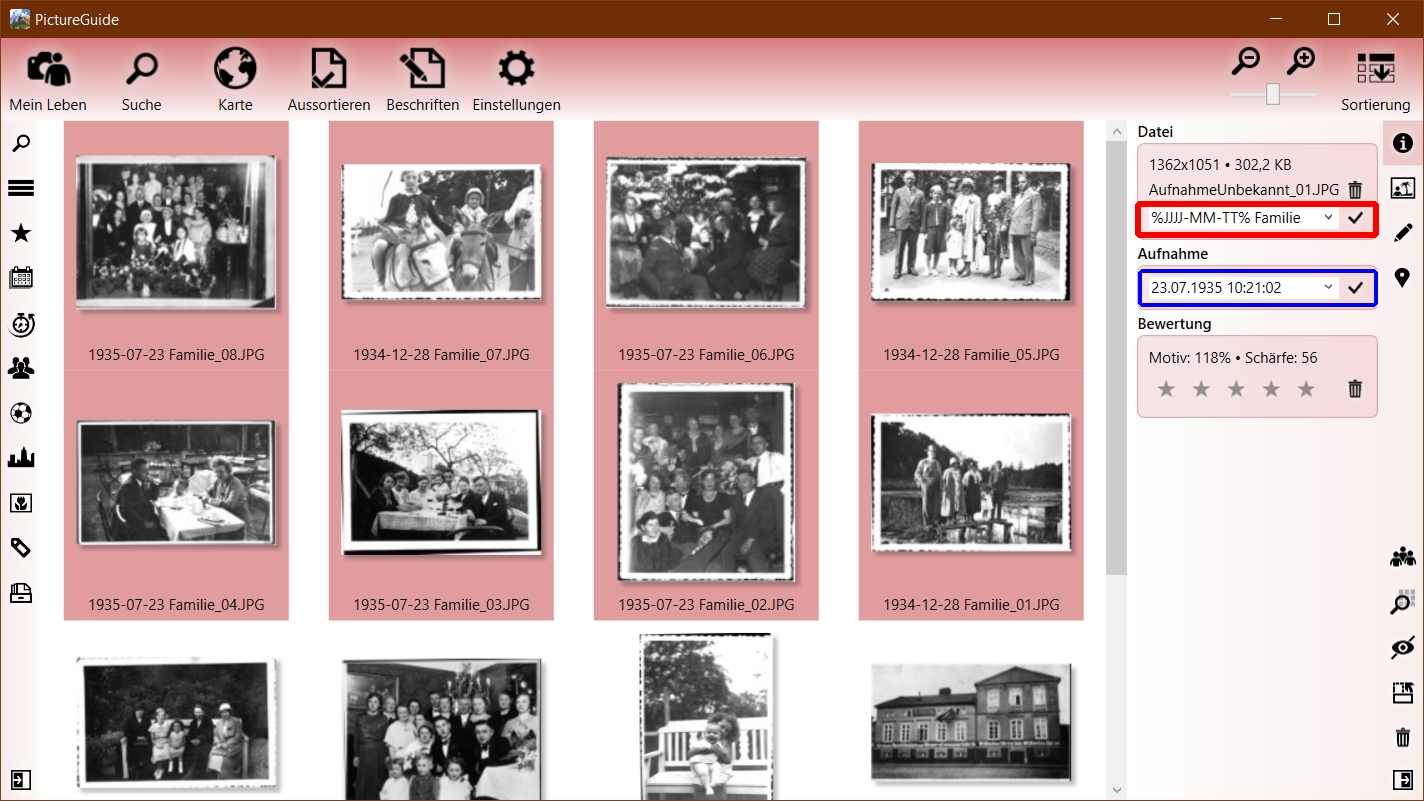
In the following example, all selected files are renamed to their recording date (highlighted in blue) and the text "Family".
The live preview shows the new file name for each file. The renaming is carried out with ENTER or Apply or canceled with the ESC key.
File renaming placeholders
Structure: %[placeholder]% [text]
Date Taken: YYYY/YY=Year, MM=Month, DD=Day, hh=Hour, mm=Minute, ss=Second
Features: $L=Location, $A=Album, $C=Camera, $P=Person, $O=Object, $T=Comment
Example of wildcard usage
Input is made in the sidebar (red). You can see the live preview below the highlighted image (blue)
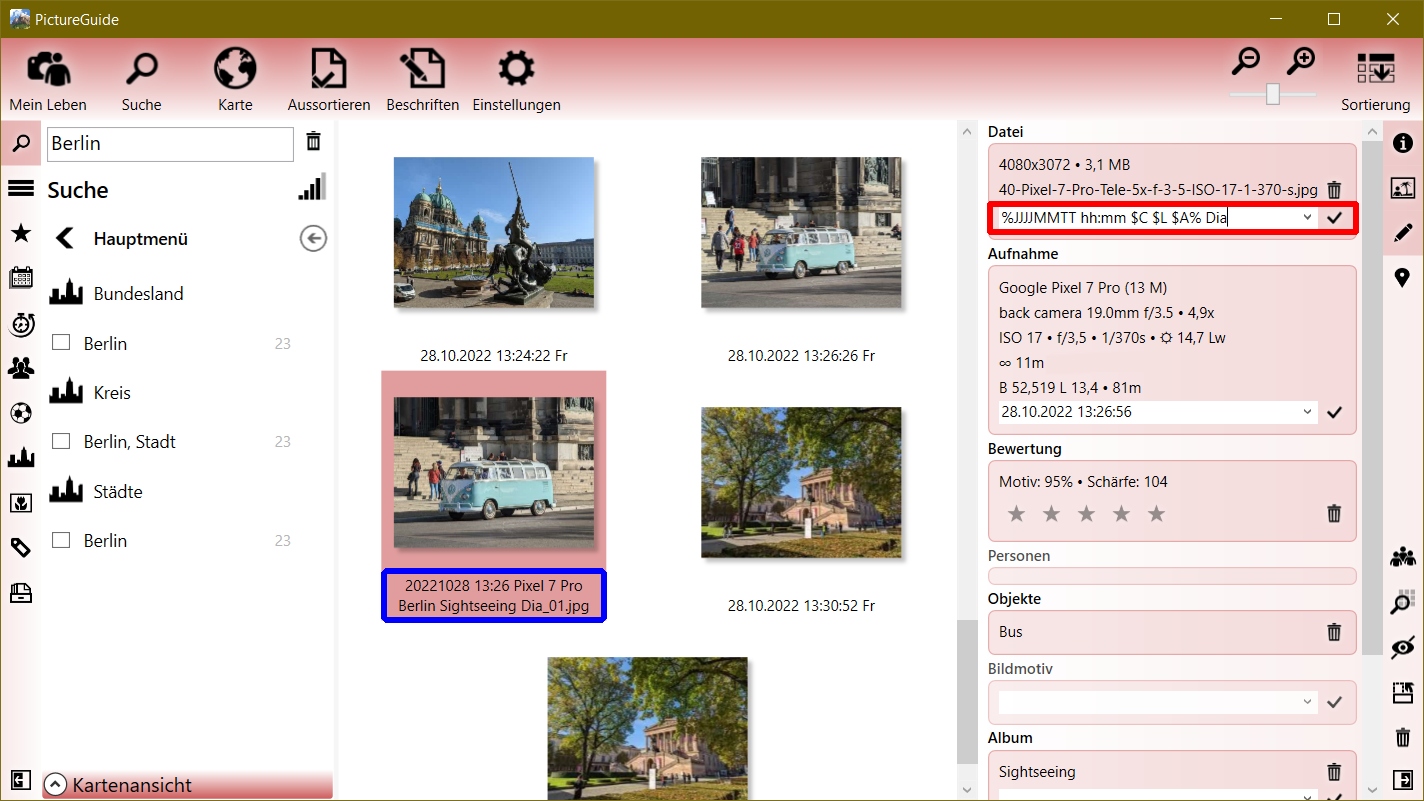
Image properties: Shooting date "28.10.2022", Shooting location "Berlin", Album "Sightseeing", Object "Bus", Camera: "Pixel 7 Pro", Comment: "VW Bulli"
Examples of rebranding with placeholders:
- "%YYYYMMDD hh:mm $C $L $A% Dia" >> "20221028 Pixel 7 Pro Berlin Sightseeing Dia"
- "Berlin Images from %TT. MM.YY%" >> "Berlin Images from 28.10.22"
- "%JJ.MM.TT hh:mm:ss Object $O $T%" >> "10/22/28 1:26:56 PM Object Bus VW Bulli"
- "%YYYY% Sky Blue Time %hh:mm% >> "2022 Sky Blue Time 13:26"
placeholder each included with %, due to mm in Himmel blue