PictureGuide processes most of the relevant metadata of the images.
The following metadata is read, used and written*:
- Date taken*, camera model*, photographer*
- ISO, aperture, shutter, flash
- Exposure metering, focus, zoom factor
- Exposure compensation, camera mode
- Title*, Headline*, Description*, Keywords*°
- GPS*, Shooting location*
- Face markings*, face labels*
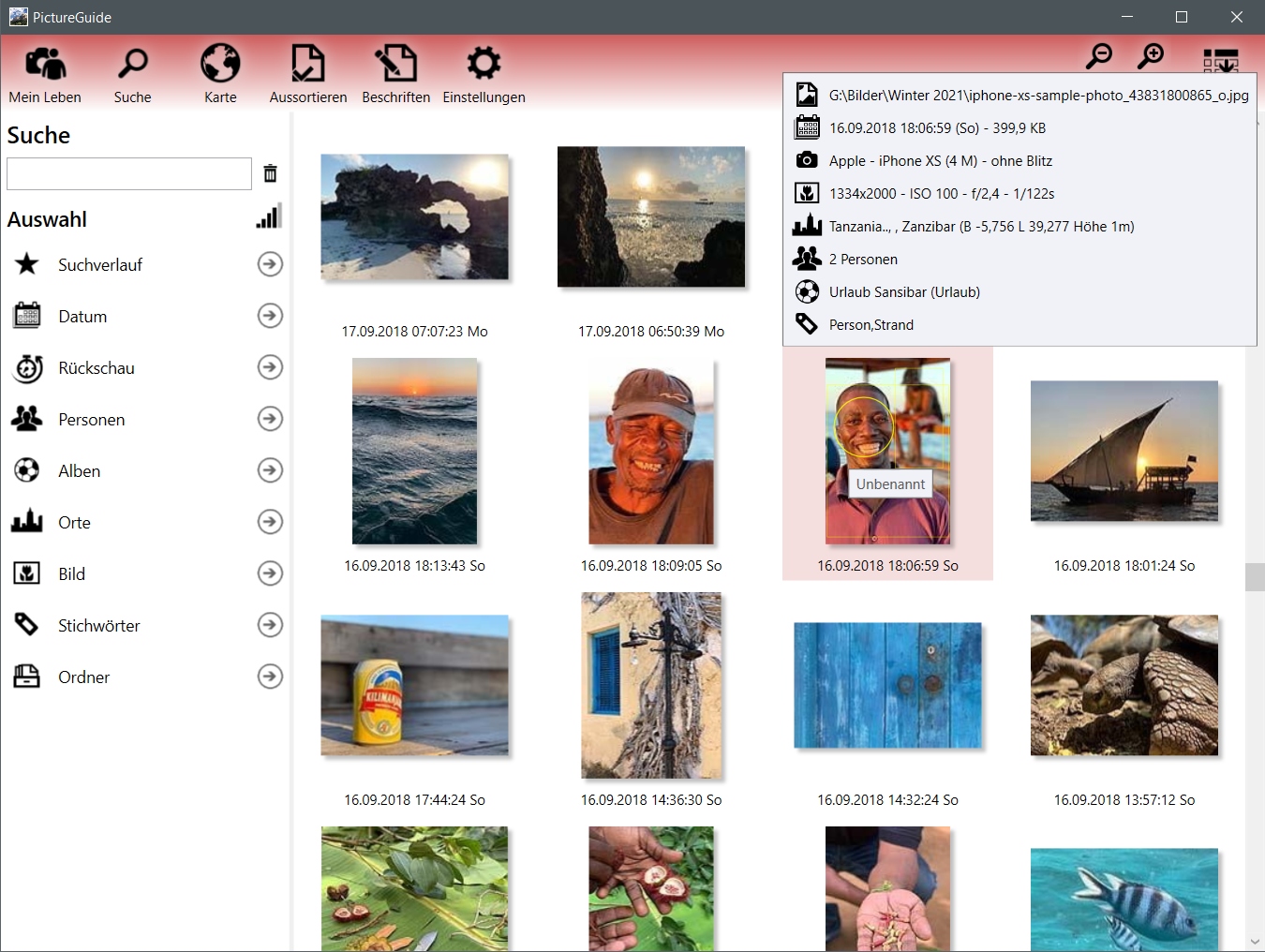
PictureGuide displays the most important data when the mouse is on the image.
Writing Metadata
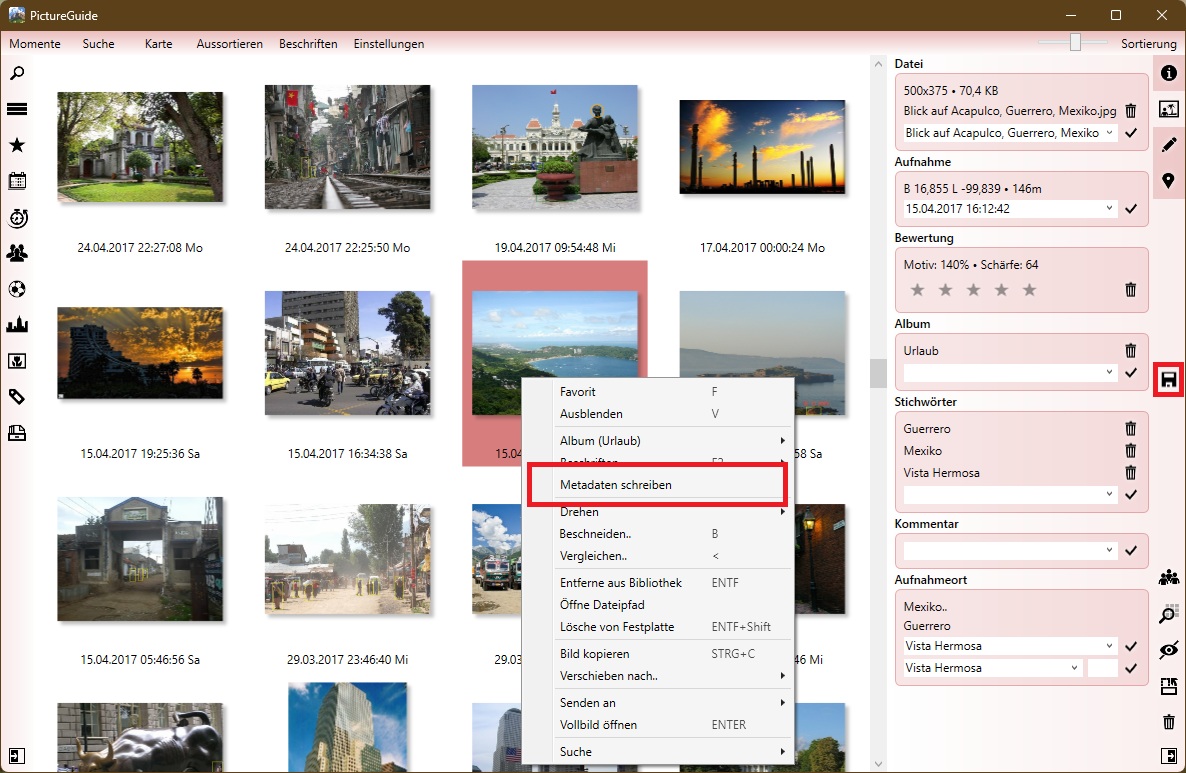
If you write back manually, use the save symbol in the sidebar or the context menu entry "Write metadata".
Settings for writing metadata in PictureGuide > Settings > Metadata
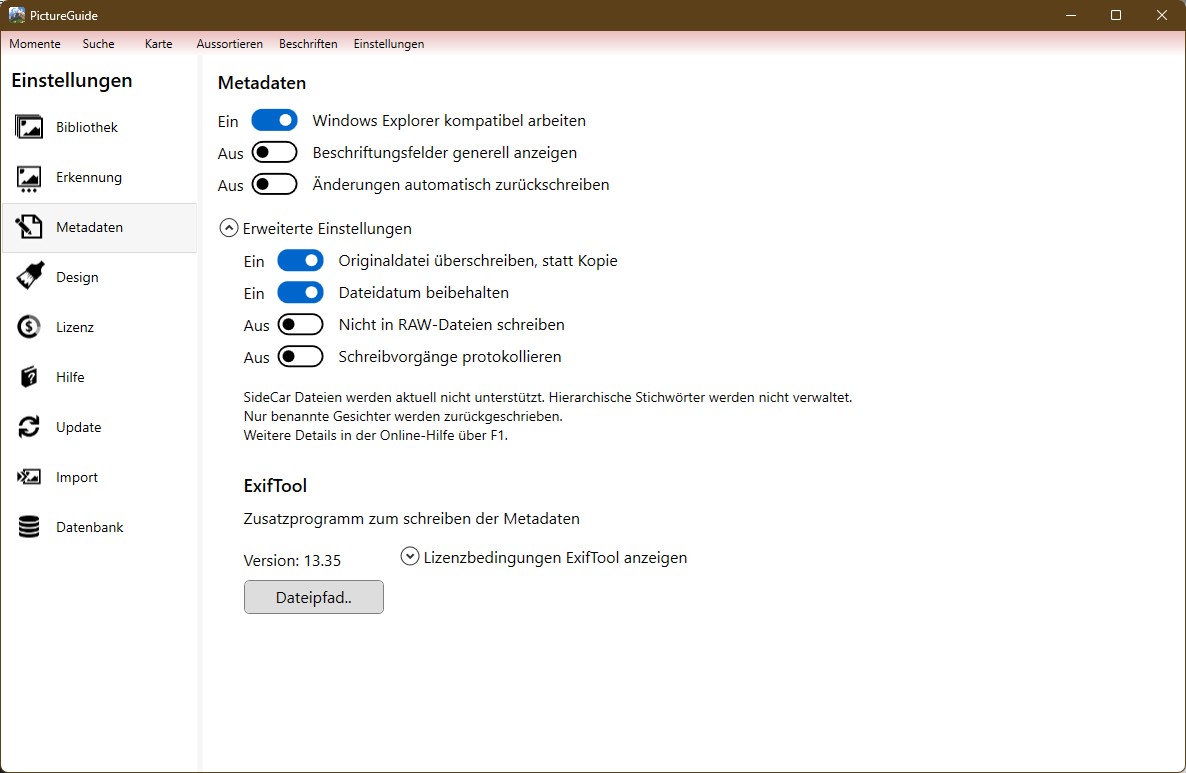
Description of settings
- Work compatibly with Windows Explorer
- Unfortunately, metadata is not standardized and Microsoft uses different fields than, for example, Adobe
- When this setting is active, the Microsoft fields are explicitly written (XP..)
- When reading in, the Microsoft fields are prioritized instead of the EXIF/ITPC/XMP fields
- Enable this setting if you only use PictureGuide and Microsoft Windows to label the photos. If you use Adobe or other third-party providers, you should turn off the option.
- Display labeling fields in general
- For quick captions, most users use the Keywords and Comment/Description fields and the city for the location
- However, if you also want to enter the title, headline and street, house number, and point of interest, activate this switch.
- If there is data in the fields, it will be displayed regardless of the function
- Automatically write back changes
- This will no longer display a save icon, but will automatically write all changed metadata back to the file a few seconds after it has been modified.
- If you disable the feature and re-enable it later, all open writes will be processed.
- It is recommended to write back manually beforehand and compare the data with third-party software.
- It is recommended to enable the "Overwrite original file.." setting.
- The function is not possible in the freeware and only to a limited extent in the test phase.
- Overwrite the original file instead of a copy
- The Exiftool offers the possibility to save the original file as Bild.jpg_original when metadata is written. This means that the change can be undone manually.
- Note that deleting the image file in PictureGuide also deletes the original file.
- If you are sure that the metadata is written correctly, the creation of a copy of the original file should be disabled in order not to use an unnecessary amount of storage space.
- Retain File Date
- Usually, changes to the file are always visible on the modification date.
- With images, however, you often want this date to refer only to changes to the image itself and not to the metadata.
- This setting preserves the modified date of the file when writing metadata
- Do not write to RAW files
- The Exiftool also makes it possible to write metadata in RAW files.
- If you are currently working with sidecar files for RAW files, you should enable this setting.
- Log write operations
- In order to track all changes to the files, all written metadata tags can be logged.
- The log files (MetaWriteLog... csv) are located in the database folder (Open Settings > database > path)
- You can open the log files in Excel/Calc and use the semicolon as a field separator
- Irrelevant tags are not logged ("exif:ProcessingSoftware", "xmp-tiff:Software", "IPTCDigest", "RegionList", "RegionAppliedToDimensionsUnit")
The restrictions of the Exiftool (@copyright Phil Harvey) apply to write back.
You can adjust the version of the Exiftool using the "File path.." button.
The current version is available on https://exiftool.org/
*Information can be changed and written.
°Hierarchical keywords are not managed