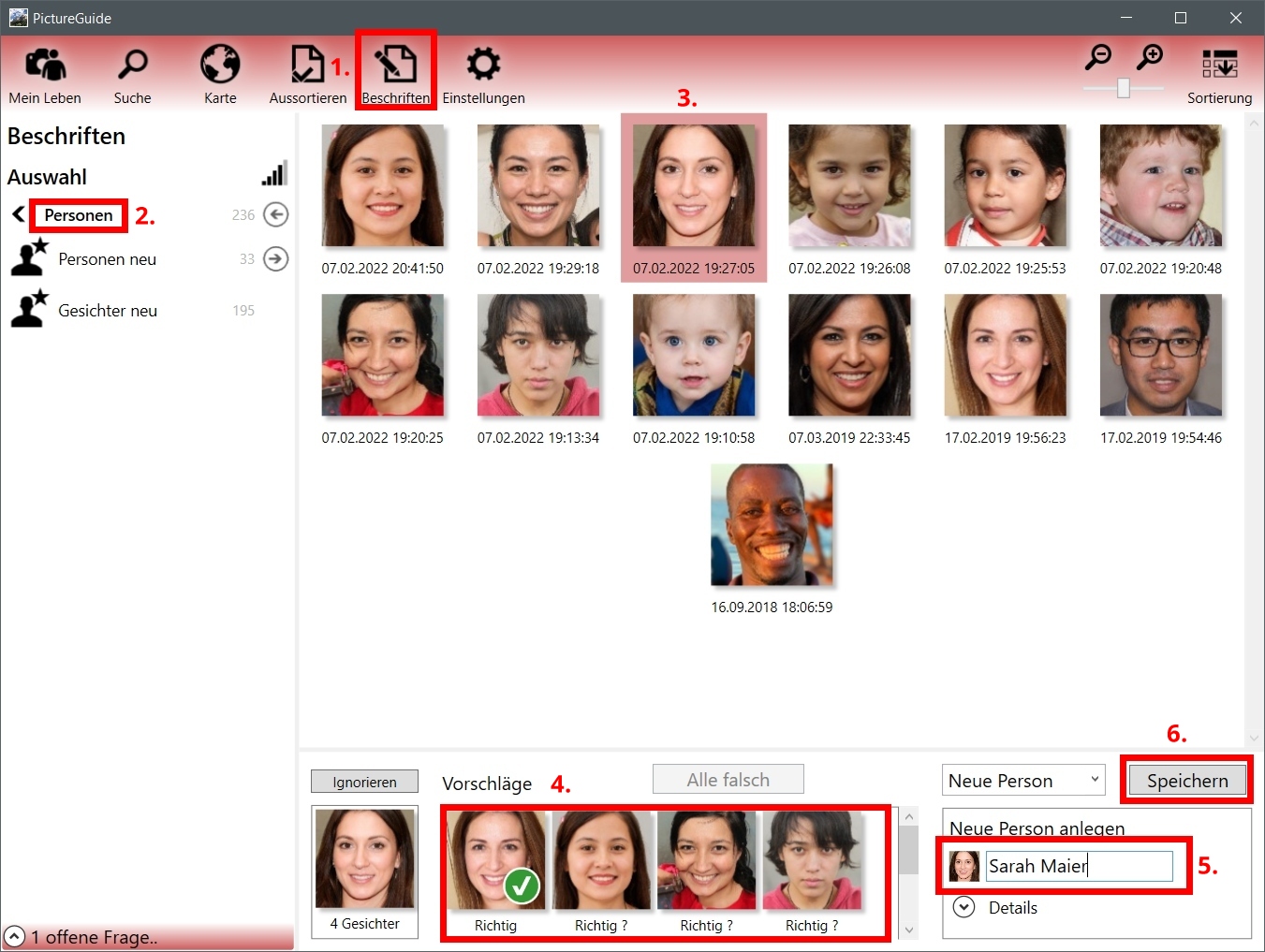
Because PictureGuide already groups all faces together, you no longer have to go to each image individually to assign a name to the faces. Therefore, label the found face groups directly as follows:
-
PictureGuide > Label > People > (New Suggestions)
-
Pelect a new person or an existing person
-
Choose a person you know from the faces
-
More matching faces in the suggestions by clicking on Confirm or All correct
-
Enter name (or click New person) or select person
-
Save / Map