PictureGuide offers the possibility to use the media library from several devices at the same time. For example, from a Windows PC and a notebook. To do this, the database must be copied to a network share. For example, to a NAS or a shared Windows folder.
To use the database on multiple devices, follow these steps:
- PictureGuide > Settings > Database > Open Path > You will see the database files in Windows Explorer
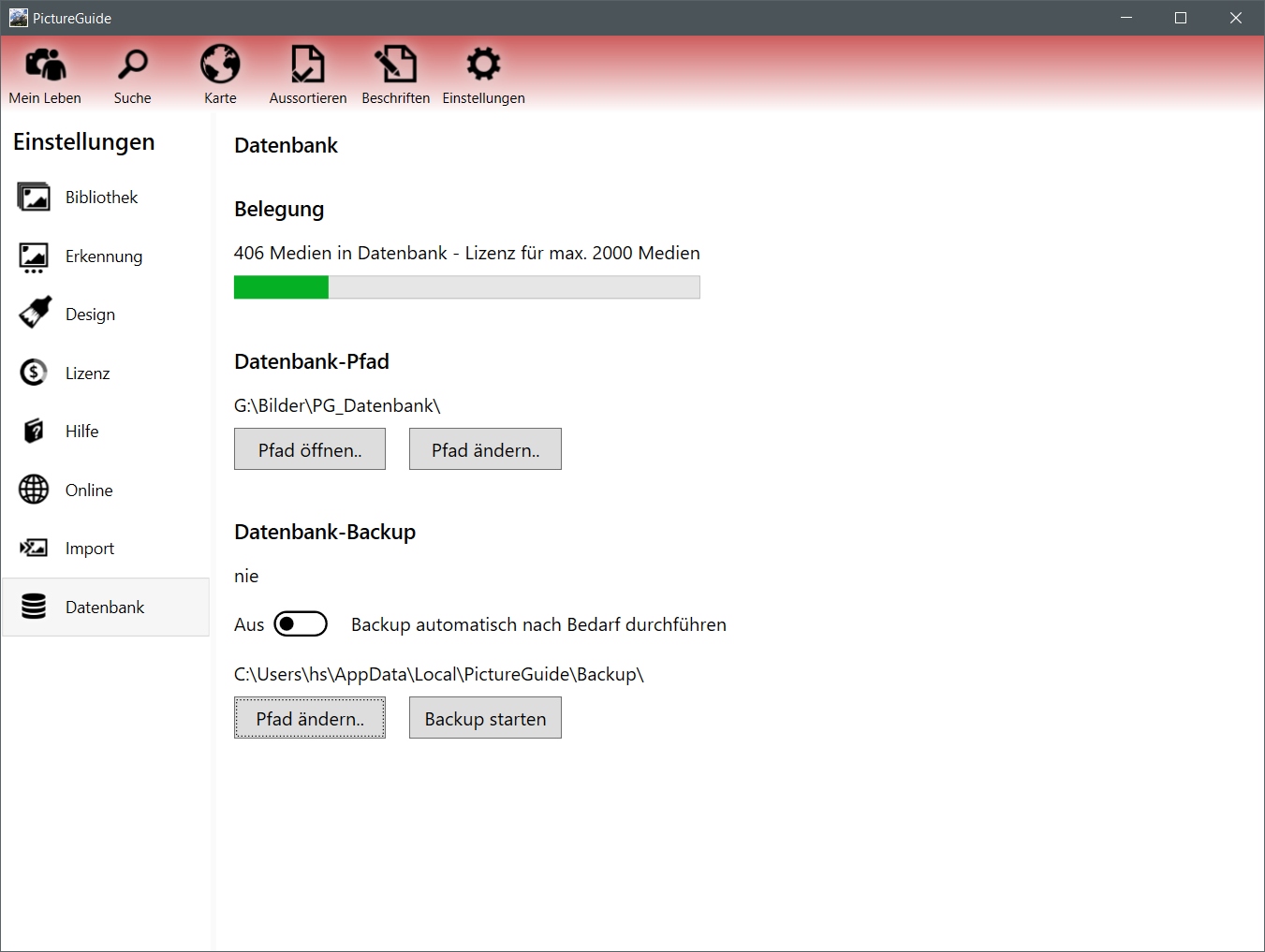
- Close PictureGuide and copy the entire path content to the network path*
- Start PictureGuide again > Settings > Database > Change path > Set to the new network path*.
- For other devices, install PictureGuide as well and change it via Change Path... and select the shared database.
If you want the same way of viewing images on every device, the images in the library must be accessible on each PC in the same way (UNC path/same letter network drive). Otherwise, only the thumbnails can be displayed.
*Pathname is arbitrary. However, the path must be accessible via a drive letter, as the database engine does not support UNC paths.
Further information when using a NAS