The procedure applies to the following situation: You receive many suggestions for a person and are surprised that they are not automatically assigned, although they are quite clear.
The cause will be that the automatic system cannot make out a clear person. e.g. with family members, blurred shots or by incorrectly assigned faces.
The setting for Face Recognition > Automatic Assign is mainly decisive.
You can find out what the impact of a change is here: Increase detection
Automatic assignment is only done from a high probability of matching.
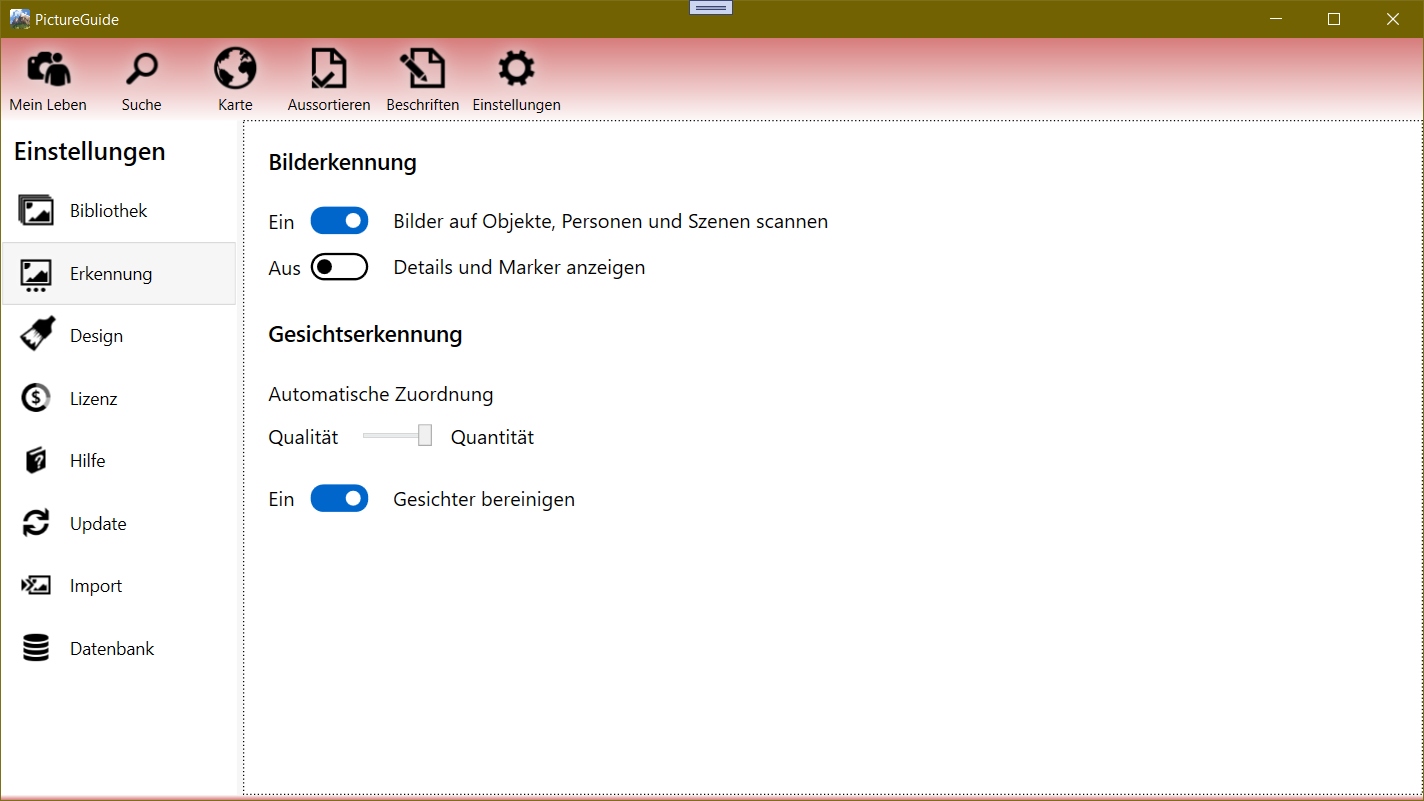
To see the likelihood of face suggestions, turn on Settings > Detection > Show details and markers.
Finding incorrect assignments
Check the people and the associated faces under Label > people.
It is possible that a face has been assigned to the wrong person, thus preventing the clear assignment of faces to a person.
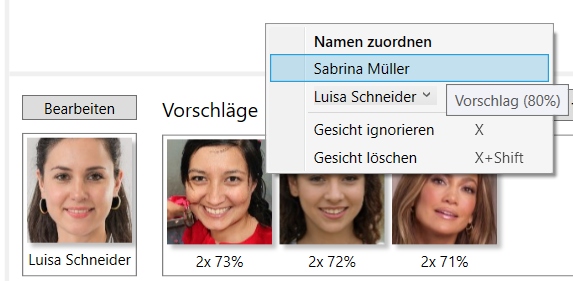
You may be able to spot incorrect associations if you open into a person with good suggestions and then check the suggestions as follows:
- Right-click a high-value suggestion.
- Check the people whose name is suggested to see if a wrong face has been assigned there.
In the example, the face suggestion for Luisa Schneider is also recommended for Sabrina Müller.
Therefore, check whether faces of Luisa Schneider have been assigned to Sabrina Müller and correct this if necessary.